

Prerequisites
- An Android phone with the SIM that receives payment SMS messages
- Orcuspay access and secret keys from Developers
- Payment methods configured in Payment methods
- A stable internet connection on the Android device
1. Install Dakpion
Install Dakpion from the Google Play Store (recommended — you get automatic updates). If you prefer to sideload, you can also download the APK from the official GitHub repository or the downloads page and install it manually.2. Add your business
Open Dakpion and add a business using your Orcuspay access key and secret key.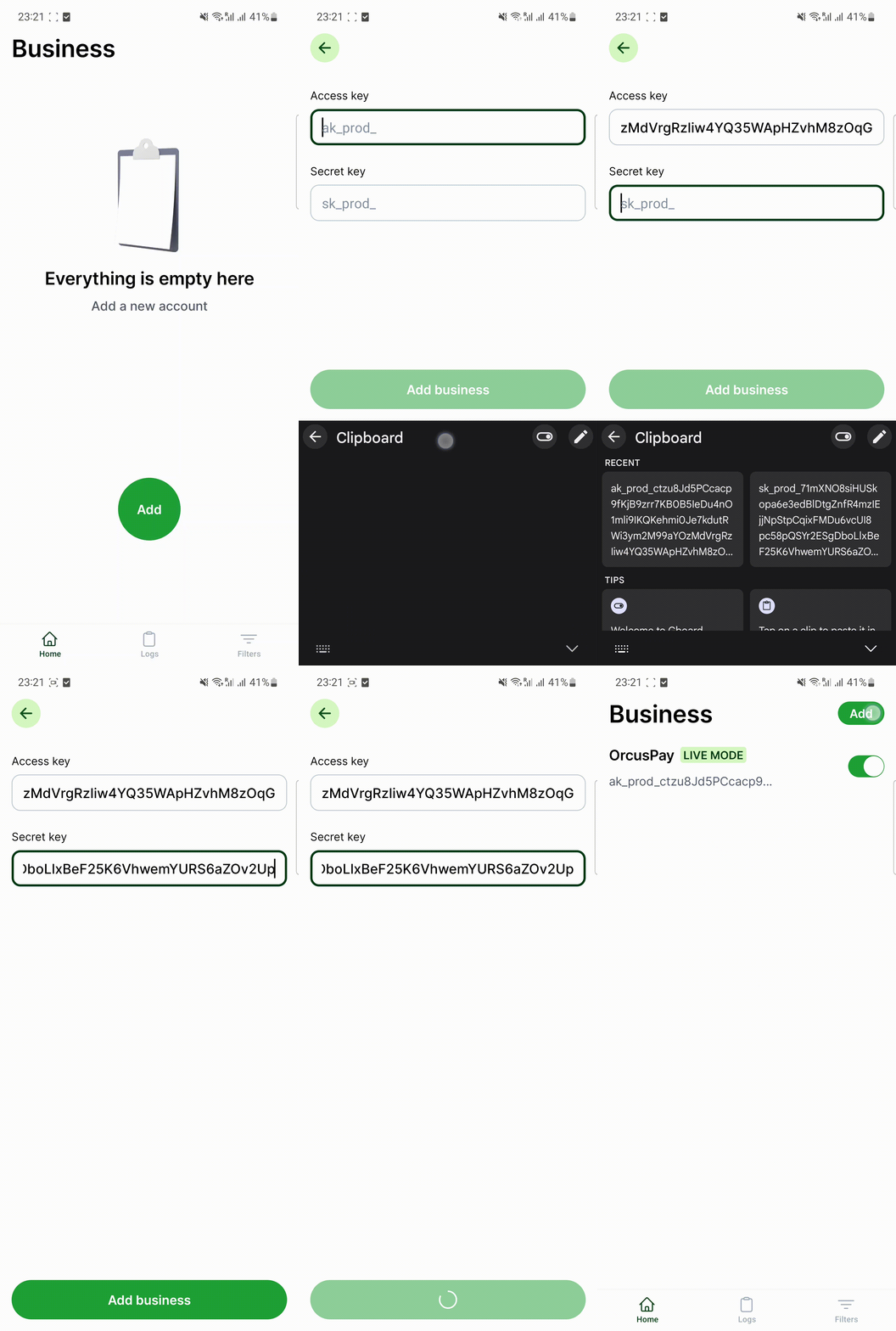
3. Add SMS filters
Create filters for the sender IDs you want Dakpion to watch, such as bKash, Nagad, Rocket, or your configured payment method sender ID.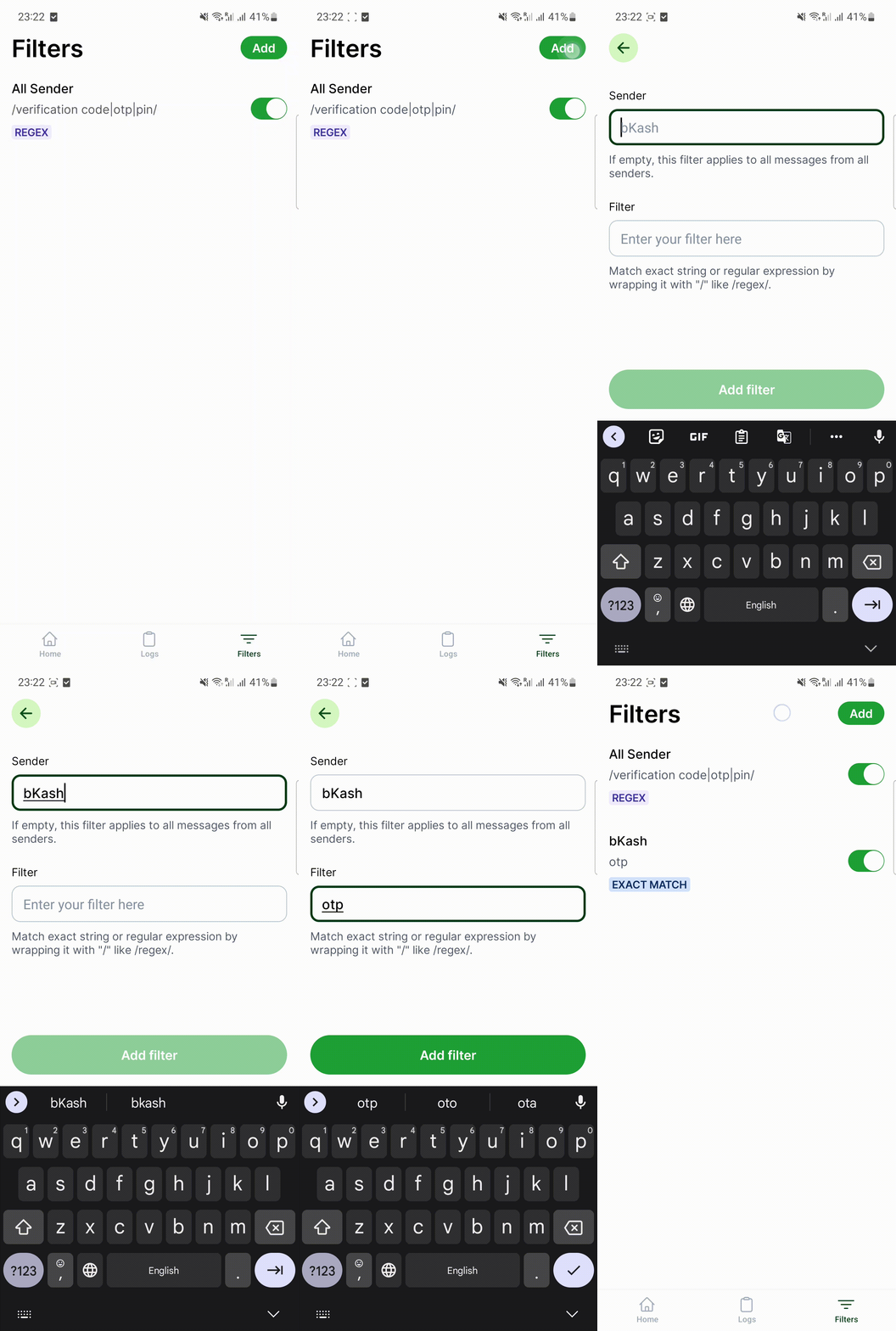
4. Test verification
- Make a small test payment to the configured personal account.
- Wait for the payment SMS to arrive on the Android phone.
- Confirm that Dakpion forwards the SMS to Orcuspay.
- Check the Orcuspay dashboard to confirm the payment was detected.
Notes
- Keep the phone charged and connected to the internet.
- Do not install Dakpion on a phone that does not receive the payment SMS messages.
- iOS cannot be used for automatic SMS reading in the same way because normal iOS apps cannot read SMS messages in the background.